As you probably know, I use a deGoogled phone as my daily driver.
I really like my current phone, but it suffers from a major problem…it's way too big.
So in this experiment, I'm going to try out a tiny phone as my daily driver, for 30 days.
But will it be just as good as my current phone in the other areas?
Let's find out..
What's Wrong with the Modern Smartphone
First, let's take a look at why I want to do this in the first place.
I have some serious issues with smartphones that I want to potentially solve with this tiny phone.
Privacy
The first major, major issue I want to solve is privacy.
As most people know, the average smartphone constantly sends information to Google or Apple throughout the day.
What is not well known is what is actually being sent.
There are obvious things like the phone's location and text messages.
But beyond that, the average smartphone user will never know what is being shared.
That's a problem.
Speed and Battery Life
Which brings me to issue number 2, battery life.
Since the phone is so busy sending data to the servers all day, this uses a lot of processor power and battery life.
Some phones only last a couple of years because there is too much extra background activity going on.
Even higher end phones can struggle after a few years because of all the extra overhead.
I want to fix this.
The good thing is that deGoogling a phone already does this.
Size
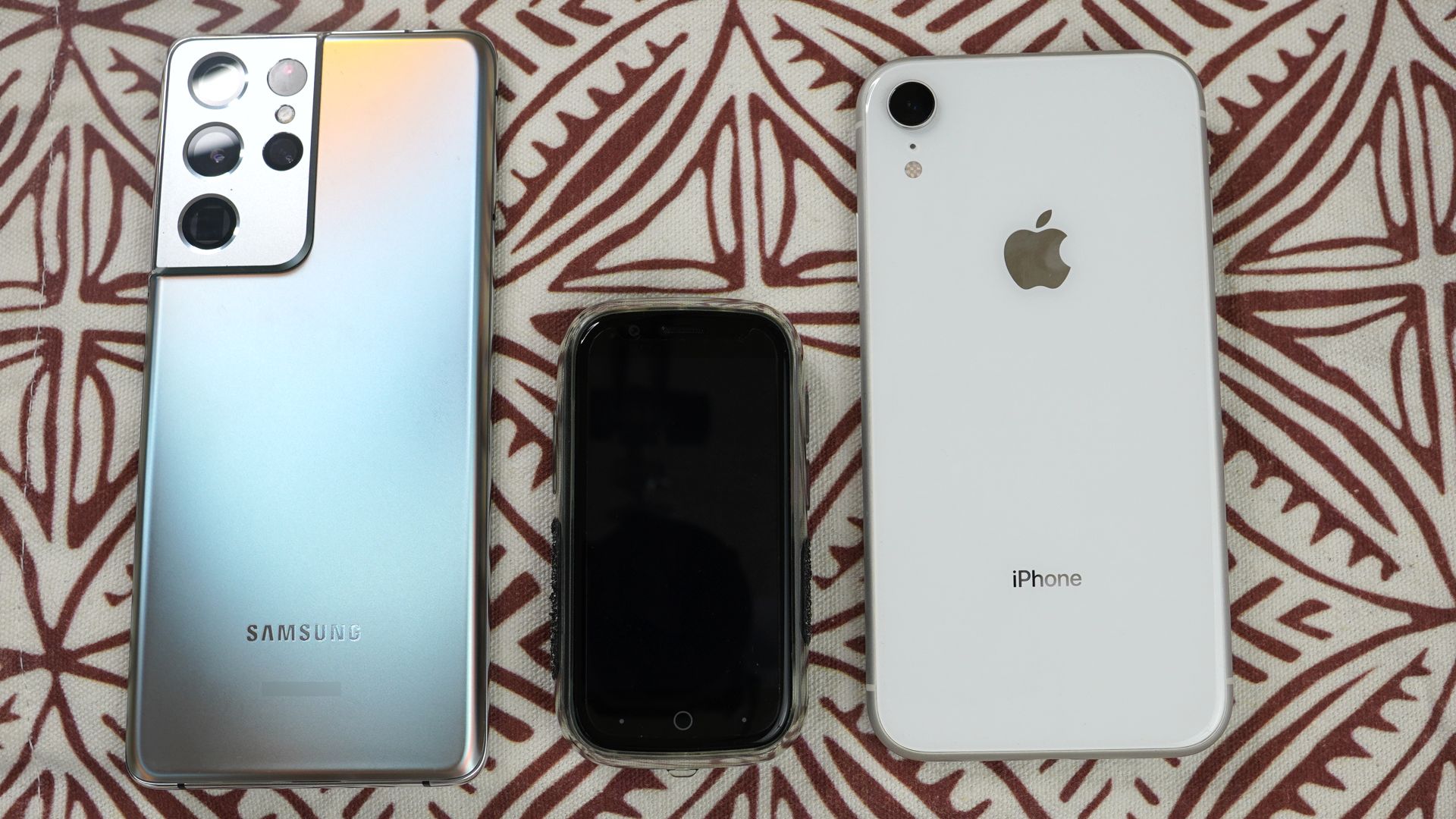
The third big issue I have with smartphones is that they are HUGE.
For what need, my phone does not need to be this big.
Half the size of the average phone would be perfect for me.
But is the tiny phone TOO small?
That's what I'm going to find out in this experiment.
Let's get into it…
My 30-Day Experiment with a Tiny Phone
This video will show you the complete experiment and the challenges that I faced.
It wasn't easy and I almost quit at one point, but I'm glad that I finally made it to the end.
Useful Resources Mentioned in the Video
- Get the Unihertz Jelly Star here. It also makes a great standalone music player.
- In-ear monitors (IEM): I've been using the 7hz Zero 2 and they sound great, especially for the price.
- Grip tape: Talon Grips made excellent stick-on grip pads that will stay attached for a long time.
- deGoogle a Unihertz Jelly Star: Get the instructions here. For education only, use at your own risk.
- SD card: I'm using the Sandisk 512GB card, but there are other good brands like Samsung.
- Metal for back of phone: I used a generic metal plate to be able to use the phone with a magnet.
- Free music player app for Android: The Auxio music player app for Android is free and open source. Be sure to donate to the project to keep it going.
- Get customization codes for the IR app: The app for the IR blaster is customizable. Simply put the code from this website into the app for the button you want to program.
- Shorts with dedicated phone pocket: These Carhartt shorts are made of durable material and have 2 phone pockets, one for a big phone and one for a small one.
- Privacy focused keyboard: The FUTO Keyboard does not send information to a server, everything happens on the phone.
How to Troubleshoot Text Message and Calling Issues in LineageOS
During this process, the biggest problem that I ran into was the inability to send and receive calls and text messages.
I had never run into that problem before and I almost gave up on this project because I though that it would be a deal breaker.
But I did more research and I found a couple of settings were supposed to solve the issue.
So I tried them and they worked.
Since the forum threads I got the information on will probably disappear at some point, so here's what I got from the forums.
- Open the Settings app
- Tap Phh Treble Settings
- Tap IMS features
- Turn on Reqest IMS Network and Force the presence of 4G calling setting
- Reboot and test calls and text messages
If that doesn't work, then try this…
- Open the Settings app
- Tap Phh Treble Settings
- Tap IMS features
- Tap on Create IMS APN
- Tap Install IMS APK for MediaTek S vendor and follow the instructions to install
- Reboot and test calls and text messages
Still not working? Then try this…
- Open the Settings app
- Tap Phh Treble Settings
- Tap Misc features
- Scroll down to the Telephony section
- Turn on Allow binder thread on incoming calls and Force display 5G network
- Reboot and test calls and text messages
How to Troubleshoot Headphone Jack Issues in LineageOS
Another issue you might come across is that the headphone jack doesn't work properly in LineageOS. Here's how to fix that issue.
- Open the Settings app
- Tap Phh Treble Settings
- Tap Misc features
- Scroll down to the Audio section
- Turn on Force headset switch and Use alternate way to detect headsets
- Reboot and test calls and text messages
Final Thoughts
I'm very happy with this new phone and I'm glad that I decided to try it out.
It works well, but it does have its quirks.
This phone is not for everyone.
If there is anything that I might change on this phone, it would be great if the screen is just little bit bigger.
Unihertz makes other phones that are a little bigger, so I might give them a try.
But overall, I really like this phone and will be using it as my daily driver.