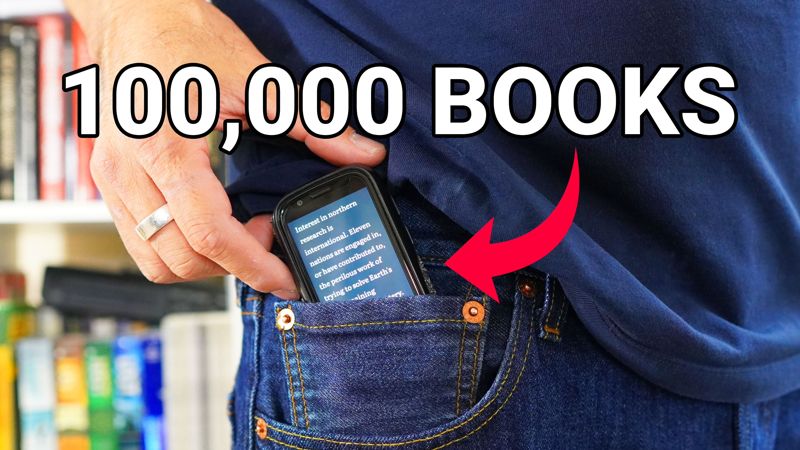
Carrying a dedicated e-reader everywhere was too much of a hassle for me. By using an ultra-compact 3-inch Unihertz Jelly Star as a reading device, I built a pocket-sized library capable of storing 100,000+ books wherever I go.
This tutorial walks through the complete setup process, covering hardware selection, book file conversion, recommended reading software, storage expansion, and why this is all so important right now.
Step-by-Step Setup Checklist
If you just want to get your phone set up right now, here’s how to do it. If you want more details, the are provided after this section.
- Hardware: Buy a 3-inch Unihertz Jelly Star.
- Storage: Insert a high-capacity MicroSD card (up to 512 GB) into the expansion slot.
- Conversion: Install Calibre on your computer to convert DRM-free PDFs into EPUB files.
- Reader App: Install the open-source Liesur app on your phone for local EPUB reading.
- Library Transfer: Transfer your converted EPUB files to your phone and adjust the font size to your liking.
Why TINY E-Readers are Awesome
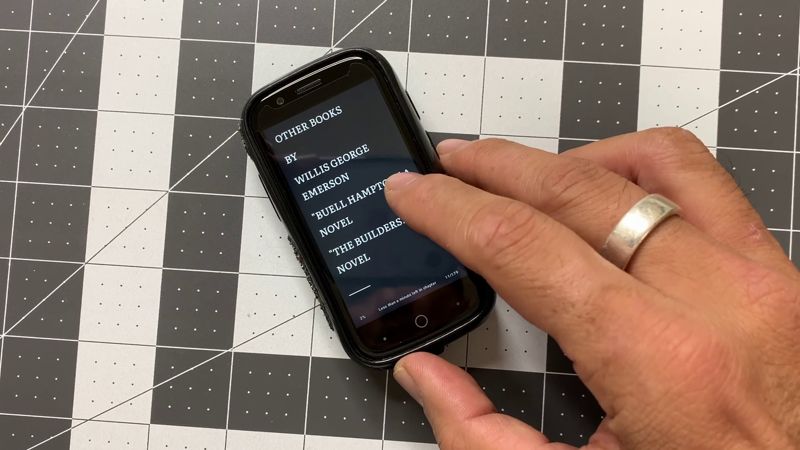
I’ve used a Kindle, iPad Mini, regular smartphones and full-sized tablets. They all can display digital books perfectly. But using a 3-inch device has distinct advantages.
A 3-inch smartphone slides easily into my pocket, enabling true carry-everywhere convenience without requiring a bag or larger case. I love this.
Unlike proprietary e-readers restricted to just one store, this solution allows me to use any of the paid stores AND upload my own files.
Now you’re probably thinking that a 3-inch screen is way to small. That was my initial thought too.
But here’s what I discovered…
Formatting Books for Small Displays: Converting PDFs to EPUB
Reading fixed-layout document formats like PDFs on a 3-inch screen can be difficult, as small font sizes force constant zooming and horizontal panning.
Converting PDF documents into EPUB files allows me to resize the text and make it just as easy to read as on any other device.
Step-by-Step Calibre Conversion
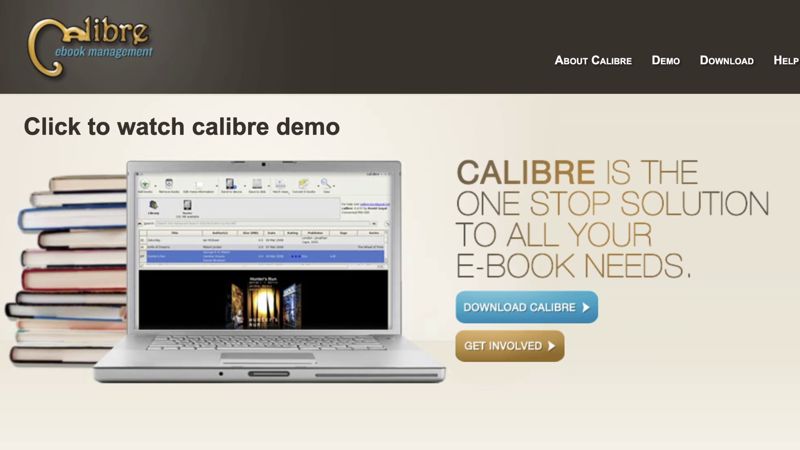
To convert your digital library into reflowable ebooks, use Calibre, a free and open-source desktop software package.
- Install Calibre: Download and install Calibre on your desktop computer or laptop.
- Import Documents: Drag and drop your PDF files directly into the Calibre library window.
- Configure Output Format: Select the document, click Convert books, and set the output format dropdown to EPUB.
- Execute Conversion: Click OK to run the conversion process. Standard text PDFs typically convert within a couple of minutes. If the process takes a long time or fails, the PDF is probably copy-protected. Documents with active digital rights management or copy protection cannot be reformatted through Calibre and can only be read in a PDF reader.You won’t be able to convert these files.
- Transfer Files: Connect your phone to your computer via USB (or wireless file transfer) and copy the converted EPUB files into your device’s internal storage or memory card.
My Favorite EPUB Reader
For reading local EPUB files, Liesur is my favorite app because it’s clean and easy to use. It’s also free and open source.
Here are some of the other useful features:
- Text Resizing: Adjust font dimensions, line spacing, and margin padding so text reflows comfortably across a 3-inch screen.
- Theme Customization: Toggle dark mode and high-contrast background themes to reduce eye fatigue during night reading.
- Distraction-Free Reading: There are zero advertisements, tracking scripts, or pop-up notices.
PDF Audio and Text-to-Speech Alternative
For PDFs that cannot easily be converted to EPUB, or for situations where you prefer listening to books, text-to-speech (TTS) applications like Eist are a fantastic alternative.
The free version has basic document-reading functionality, while premium tiers unlock natural-sounding voices and regional accents.
Existing Digital Storefront Apps
If you already own a collection of digital books within ecosystems like Amazon Kindle or Barnes and Noble Nook, you can install the official Android app directly onto your 3-inch phone.
Bumping up the font size within the app settings makes your existing cloud purchases fully readable on the smaller display.
Storage Expansion: Building a 100,000-Book Offline Library
A major advantage of using the Unihertz Jelly Star is expandable physical storage, allowing you to store a massive digital library directly on the device.
- High-Capacity MicroSD Support: Combining 256 GB of built-in internal storage with a 512 GB MicroSD card expands total storage capacity to 768 GB.
- 100,000-Book Capacity: Standard EPUB files average approximately 5 megabytes in size. At 512 GB capacity, your device can hold over 100,000 full-length books.
- Complete Offline Independence: Carrying your full library locally ensures instant access to your books without depending on cellular networks, Wi-Fi connections, or remote cloud servers.
Digital Ownership is More Important Than Ever
Beyond physical convenience, building a self-hosted library ensures long-term control over your personal media archive.
Preventing Content Deletion
Purchasing digital books through proprietary storefronts often grants a temporary license rather than true physical ownership.
Digital platforms reserve the right to remove or revoke titles from user accounts if publishing licenses expire or terms change.
Storing DRM-free EPUB files on your own hardware guarantees that your personal library remains accessible and protected from remote deletion.
Protection Against Ads
As digital platforms seek new revenue streams, commercial reading services increasingly introduce ad tier options and commercial interruptions.
Without physical control over your files and software, readers risk future monetization disruptions, such as full-page ad pop-ups appearing during dramatic story climaxes or mandatory video ads prior to opening chapters.
Using open-source software like Lassur and locally stored files ensures an ad-free reading environment.
Real-World Limitations and Trade-Offs
While a 3-inch smartphone is an exceptional pocket e-reader in my experience. However, there are a few trade-offs that you should know about.
Detailed comic panels, graphic novels, and fine technical illustrations can be difficult to view on a 3-inch display. The setup is optimized primarily for text-focused literature, novels, and simple pictures.
Color LCD screens consume more power than monochrome e-ink displays. Utilizing dark mode and lowering screen brightness helps maximize battery performance.
Curating, converting, and organizing a digital file library requires initial time and effort. However, once your file structure is organized, maintenance is minimal.
Final Thoughts
This is the best solution I’ve found for reading digital books.
It’s super compact and since I’m carrying this phone anyway, I don’t need to carry another device.
If you want to find out why I like using the Jelly Star as my daily driver, read this article.